 Tech Trends Daily

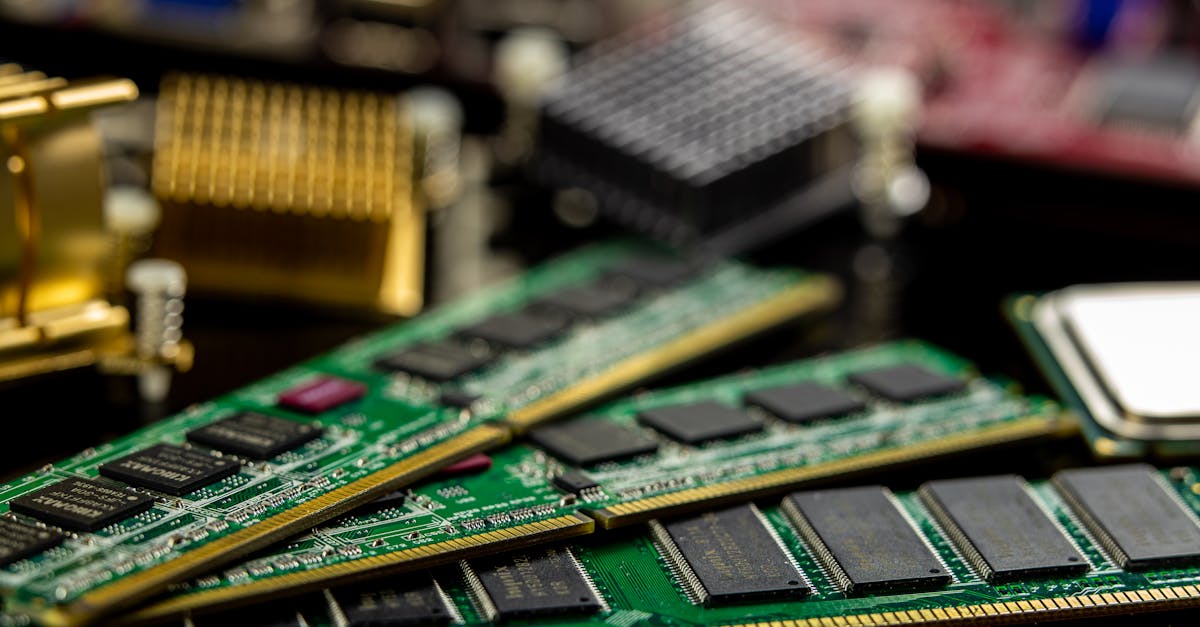
If you are planning to buy a laptop or desktop in the coming months, expect to pay more than you would have a year ago. AI companies are buying memory chips on a huge scale, and Intel's CEO Lip-Bu Tan said this week that PC prices have risen significantly this year. That affects your budget directly, and it makes the question of how much RAM you actually need worth answering before you shop.
Why PCs are getting more expensive
According to The Verge, memory makers Samsung and SK Hynix have signed long-term deals with cloud operators and projects such as OpenAI's Stargate. Those deals have reserved much of the world's RAM output for the next few years. The companies buying it are willing to spend billions, and The Verge links that spending to rising prices for laptops, phones and other devices.
OpenAI CEO Sam Altman defended the approach on the Cheeky Pint podcast. He called it "terrible" from a global allocation view for scarce DRAM to sit in personal computers that are busy only a small share of the time (he put it at five percent). In his view, a supply-constrained world should get maximum use out of memory in the cloud. You may disagree, but it shows that the companies buying the most memory do not expect the pressure to ease soon.
Intel's warning shows the strain
TechCrunch reported that Intel's stock fell around 28% on Friday, one of its worst days ever, after the company gave a weak outlook for the fourth quarter. Intel expects revenue of $15 billion to $16 billion, against analyst expectations of about $17 billion. It also expects its gross profit margin to fall to 37% from 43%.
The reason matters more to shoppers than the stock move. Tan said customers had started signalling a PC slowdown because of memory prices and availability, and that higher prices were putting pressure on already limited IT budgets. In plain terms, PC makers are paying more for parts, buyers are holding back, and the chip industry is feeling it.
| Detail | Figure or date | What it suggests for buyers |
|---|---|---|
| Intel Q4 revenue outlook | $15–16 billion, versus about $17 billion expected | PC demand is softening as prices climb |
| Intel gross margin outlook | 37%, down from 43% | Pressure on costs across the PC chain |
| Intel data center revenue | Up 78% year over year | AI spending is where the money and the chips are going |
| Next new Intel fab in Arizona | Not expected online until 2028 | Extra manufacturing capacity is not arriving quickly |
| Memory supply deals | Reserved for the next few years | Do not count on a quick price drop |
What this means for you
Nothing in the reporting says when prices will come down, so waiting is a gamble. The deals that tie up memory run for years, and the next Intel fab is not due until 2028. That does not make buying now automatically right, but it does mean you should not hold off on a needed purchase in the hope of a sale.
Use this as a rule of thumb:
- Buy now if your current machine is failing, slow enough to cost you work or study time, or no longer gets security updates. A broken laptop costs more than a price premium.
- Wait if your computer still does everything you need. Spending can be postponed, and you lose nothing by holding on.
- Be careful with "future-proofing". Paying extra for a lot of memory you will not use is an expensive habit in a shortage.
Check how much RAM you really use
Before you pay for a memory upgrade, look at your own habits. On Windows, open Task Manager and check the Performance tab while you work with your usual mix of browser tabs, email, video calls and documents. On a Mac, open Activity Monitor and look at the Memory tab. If your memory use stays well below your total during a normal day, a bigger configuration will not make the computer feel faster.
A few points help with the decision:
- Everyday use (browsing, email, streaming, office work) rarely needs a top-end memory configuration.
- Heavy multitasking, photo and video editing, or large projects are where extra RAM pays off. Pay for it only if you do this regularly.
- Check whether memory can be upgraded later. Many thin laptops have memory built in, so what you buy is what you keep. Many desktops let you add RAM later, which makes starting lower less risky.
- Local AI tools are the one area where memory needs can grow. Altman noted that many people want to run AI models on their own computers. If that is your plan, factor it in. If you only use online AI services, the heavy lifting happens on someone else's servers, and your RAM matters less.
A short checklist before you pay
- Write down what you do on your computer in a normal week.
- Measure your current memory use with Task Manager or Activity Monitor.
- Find out whether the model you are considering has upgradeable RAM.
- Compare two or three models at the same memory level rather than the same price.
- Decide on a ceiling, and treat any extra memory as something you must justify.
If you buy a desktop, the ability to add memory later gives you more room to start modestly. If you buy a laptop with fixed memory, it is worth thinking carefully about your needs over the next several years, since you cannot fix a mistake afterwards.
FAQ
Why are PC prices going up in 2026?
According to The Verge, big AI and cloud projects have reserved much of the world's RAM production through long-term deals with Samsung and SK Hynix. Intel's CEO told investors that PC prices have risen significantly this year because of memory costs and availability.
Should I wait for PC prices to fall?
There is no sign of a near-term drop in the reporting. Memory is reserved for the next few years, and Intel's next new Arizona fab is not expected until 2028. If your computer still works well, waiting costs nothing. If it is failing, buying a sensible configuration now is usually the better choice.
How much RAM do I need in a new laptop?
It depends on your workload. Check your current memory use in Task Manager (Windows) or Activity Monitor (Mac) during a normal day. If you rarely get close to your limit, you probably do not need to pay for more. If you edit video, work with large files or want to run AI models locally, extra memory is more likely to be worth the money.
Sources
- The Verge – AI: Sam Altman says it’s better for RAM to be in a data center than on your desk
- TechCrunch – AI: Intel’s stock crashes, knocking $12B from government’s stake
Photo: Sergei Starostin / Pexels

I'm an Italian creator who builds apps, games and websites. I run Tech Trends Daily with the help of AI tools: every article starts from the sources linked above, and I check what goes out. I'm not a doctor, a lawyer or a financial adviser. Spotted a mistake or have an idea? Write to me.
Instagram @spartaco_94_My websiteWrite to meAbout this blog










 Simulated Lives: Are We Already Living in a Matrix?
 The Physics of Space Travel: Exploring Faster-Than-Light Travel
 Speed Reading: The 3-Book Bundle